 Walk Flower





Best Step Counter Apps to Use With Friends
StepUp, Walk Flower and Stridekick compared with four more social step counters: who each suits, how you play together, and the downside to know first.
StepUp is a good starting point for free step challenges with friends. Walk Flower adds flower collecting to a shared daily step board, while Stridekick suits groups using different fitness trackers. The best choice depends on whether your friends enjoy competition, collecting rewards, or working toward a shared goal.
A useful social step counter should make joining easy, show everyone’s progress clearly, and work with the devices your group already uses. These seven apps offer different ways to stay active together, even when you live far apart.
We make Walk Flower, one of the apps on this list. The other six come from other companies, and each one gets the same treatment: what it’s for, and its downside.
The seven apps at a glance
| App | Best for | How you play together |
|---|---|---|
| StepUp | Straightforward step challenges | Private groups, leaderboards and group chat |
| Walk Flower | Collecting rewards with friends | A daily board of everyone’s steps and flowers |
| Stridekick | Friends on different trackers | Leaderboards, streaks and targets |
| Pacer | Organizing a walking group | Group challenges joined through shared links |
| Samsung Health | Existing Samsung Health users | Together step challenges |
| StepsApp | Everyday tracking plus friends | Leaderboards and groups |
| Pikmin Bloom | Working toward a shared goal | Weekly co-op challenges and Party Walk |
1. StepUp — Best for straightforward step challenges
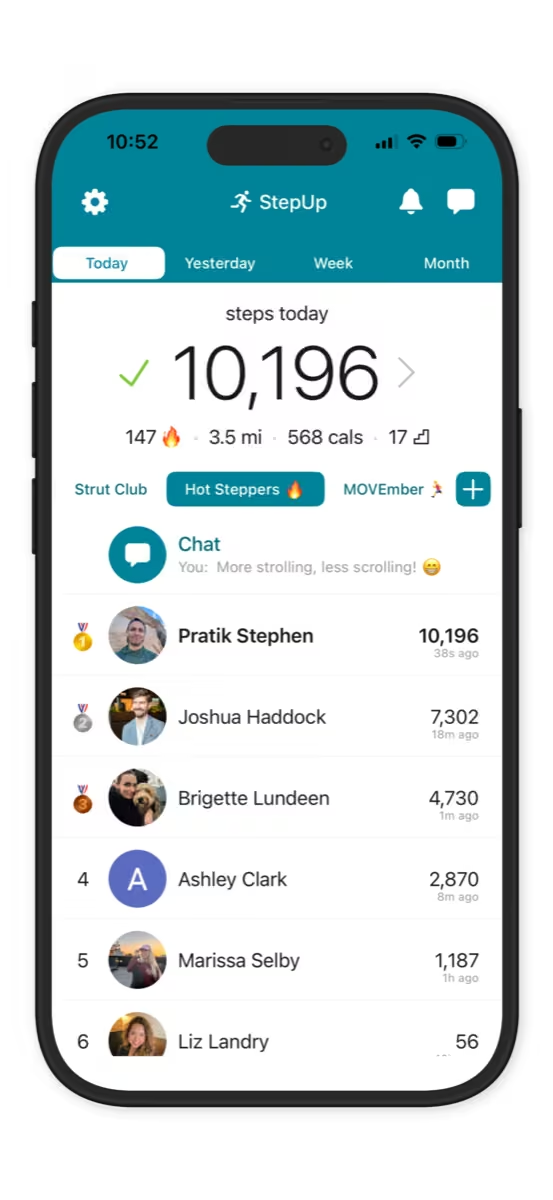
StepUp combines automatic step tracking with private groups, leaderboards, and group chat. You can compare your progress with friends, cheer each other on, and run walking challenges. Its current listing says the features are free, with no subscription required.
It’s a good first choice for a group that wants a simple answer to “Who walked the most today?” The chat gives everyone somewhere to share encouragement without moving the conversation to another app.
Downside: The leaderboard puts the focus on competing. Friends with very different activity levels may prefer a shared goal that everyone contributes toward.
2. Walk Flower — Best for collecting rewards with friends
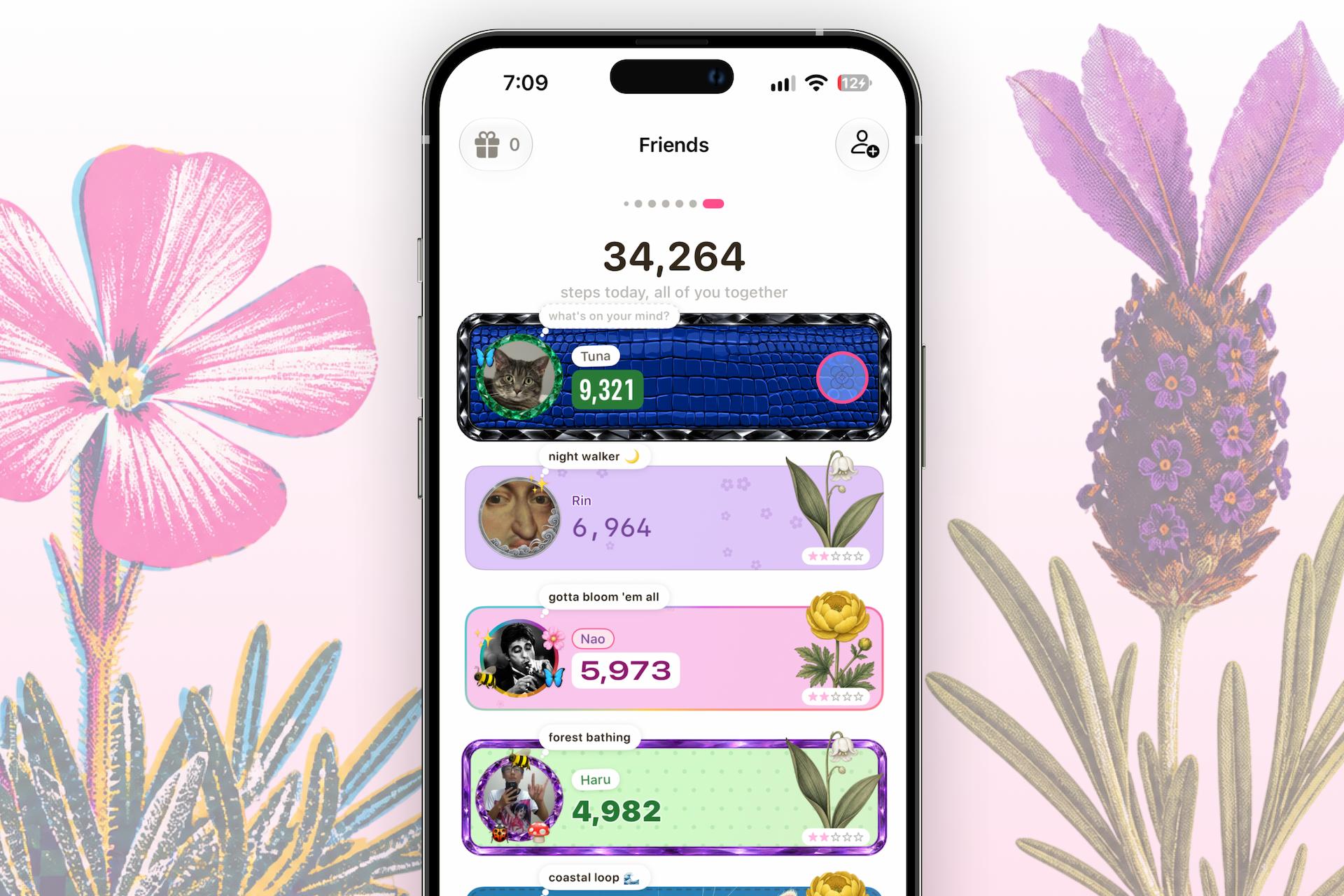
Walk Flower combines a step counter with collectible flowers and a daily board showing you and your friends. Each person’s card displays their steps and the flower they revealed that day. Walking 5,000 steps unlocks a daily flower reveal, and each week you pick a new season of seven flowers to work toward.
The flowers give your group something to talk about beyond who finished first. You can compare daily progress, see what your friends collected, and look back on every week’s flowers.
It’s a good fit for friends who like a little competition but also want a visual reward for walking. You can collect flowers alone, then add the social features when your friends join.
Downside: Walk Flower is currently iPhone-only, so it won’t suit a group that includes Android users.
3. Stridekick — Best for friends using different fitness trackers
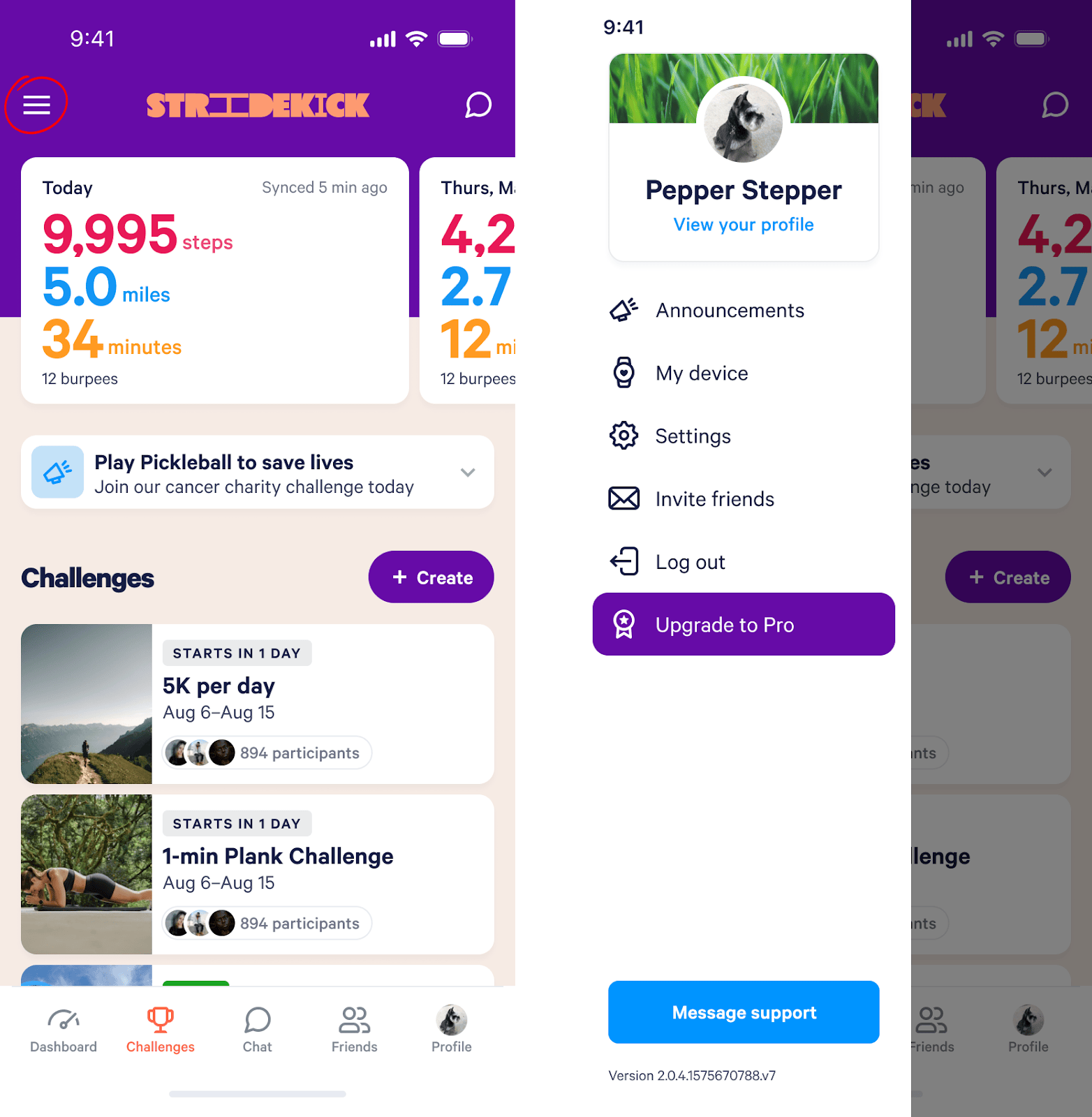
Stridekick brings activity from supported devices and services into shared challenges. Its listed connections include Fitbit, Apple Watch, Garmin, and Apple Health. Challenge options include leaderboards, streaks, and targets, giving your group more than one way to participate.
That makes it worth considering when everyone already tracks their steps differently. Instead of asking friends to switch watches, you can check whether their existing setup connects to Stridekick.
Downside: The free plan has limits. Its current App Store listing allows public challenges lasting up to seven days with up to ten people; private challenges and longer events require an upgrade.
4. Pacer — Best for organizing a walking group
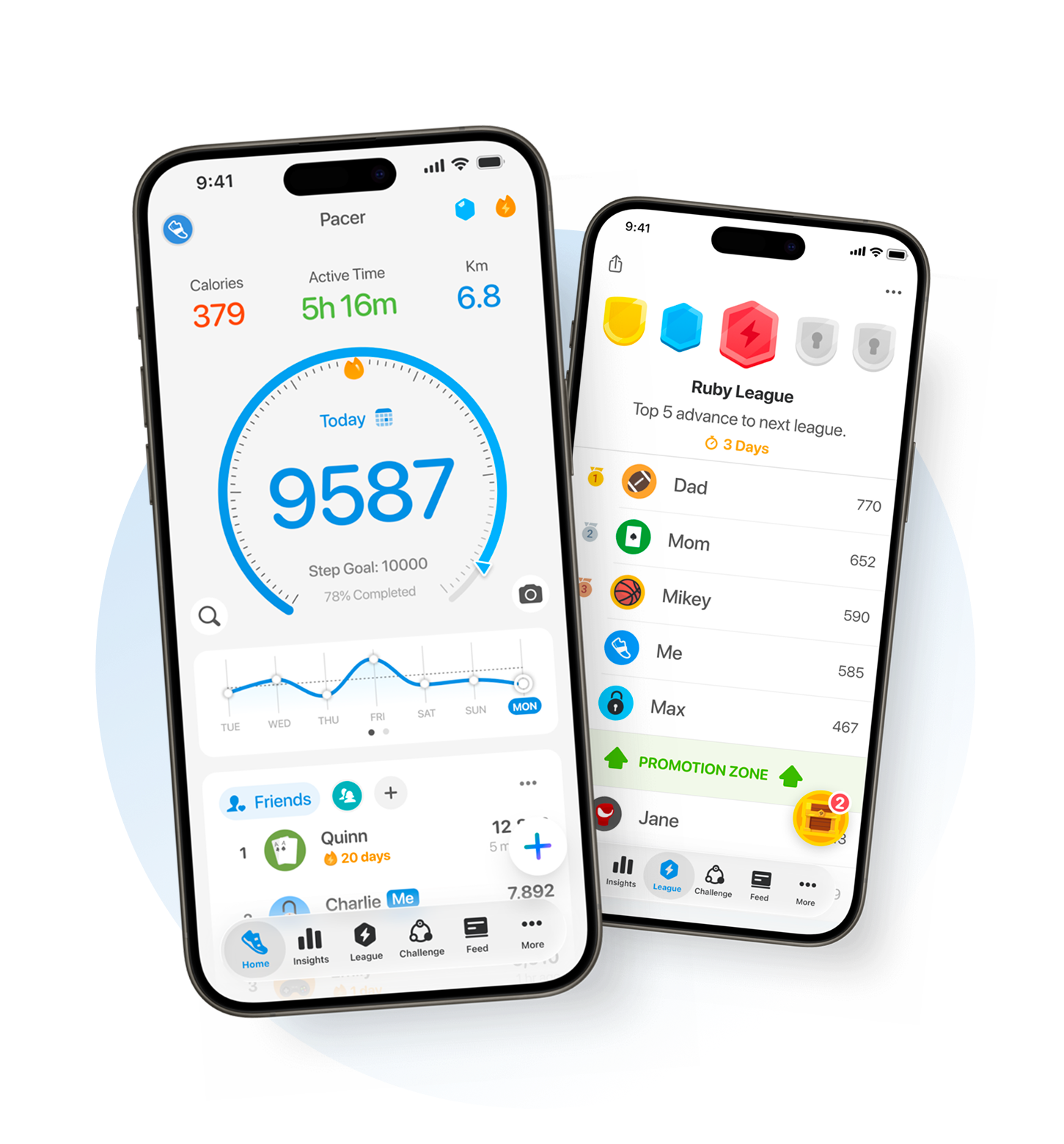
Pacer combines step tracking with group challenges and invitations through shared links. It works on iPhone and Android, making it an option for friends and family who use different phones.
It’s worth considering if you want to organize an ongoing walking group. A shared challenge gives everyone a reason to check in, whether they walk together on weekends or fit their steps around separate schedules.
Downside: Challenge access needs attention. Pacer explains that some group challenges can be joined by non-members through links, codes, or discovery features, so check the settings if you want participation limited to your friends (Pacer Help Center).
5. Samsung Health — Best for friends already using Samsung Health
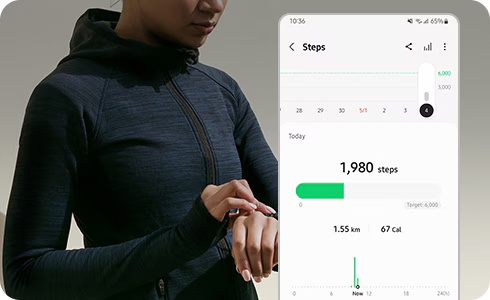
Samsung Health’s Together feature lets you add friends and create step challenges. Depending on the challenge, you can compete to reach a step total first or see who walks the most within a set period.
Its main advantage is convenience for an existing Samsung Health group. If everyone already checks their activity there, using Together can be easier than persuading them to start again in another app.
Downside: Everyone needs to set up Together before joining in. It’s most appealing when your friends already use Samsung Health or are happy to adopt it.
6. StepsApp — Best for everyday tracking with social features
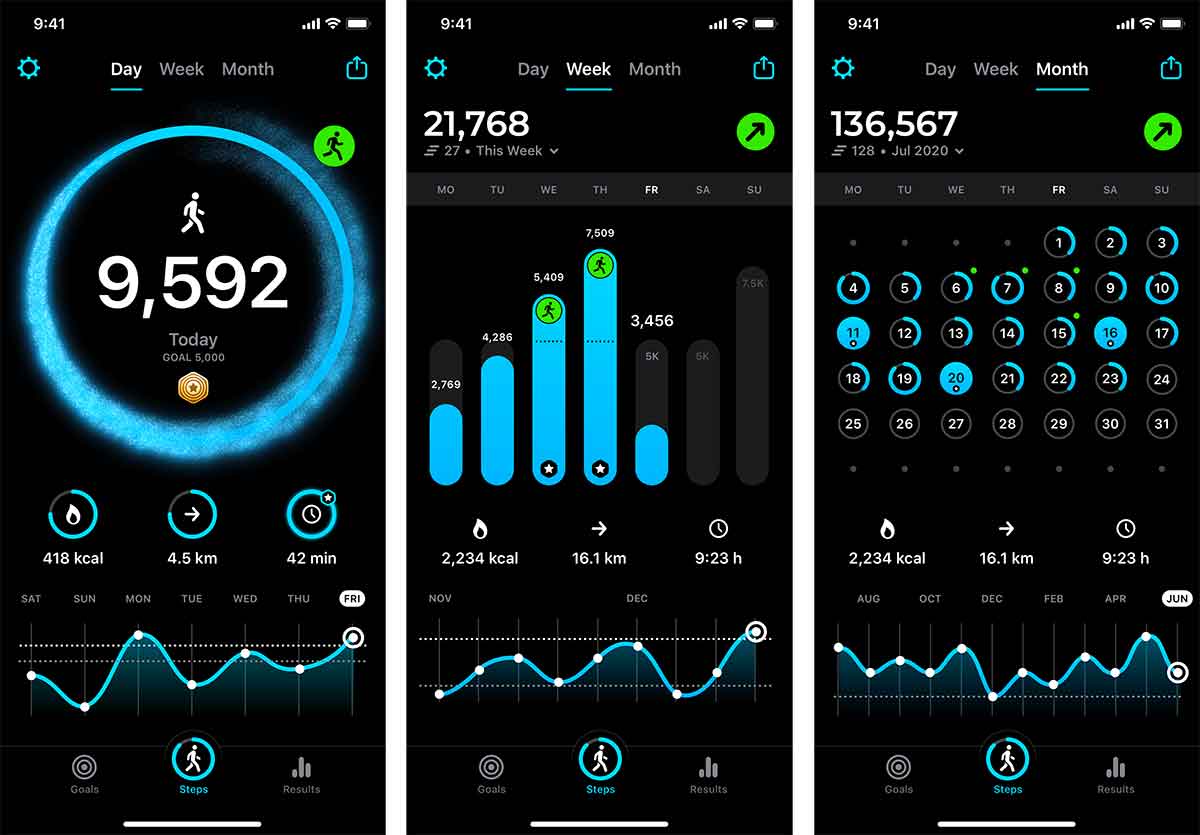
StepsApp offers automatic step counting, daily goals, activity trends, and challenges with friends. Its iPhone app includes leaderboards and groups alongside Apple Health integration and Apple Watch support.
This is a good option if personal tracking matters as much as the group challenge. You can follow your own progress over time while also comparing steps with friends.
Downside: Some features require a paid subscription, including advanced analytics, additional customization, and an ad-free experience.
7. Pikmin Bloom — Best for working toward a shared goal

Pikmin Bloom is a walking game with step tracking and cooperative challenges. Its weekly step challenges let you join up with four other people and contribute toward a shared target. Party Walk also lets someone organize a walking event and invite others through a link or QR code.
It’s a good fit for friends who would rather accomplish something together than compete for first place. Everyone’s walking contributes, so taking a shorter walk can still help the group. For more playful picks like this one, see our roundup of cute walking apps.
Downside: It comes with a full game to learn. Friends who only want a step total and a leaderboard may prefer a simpler app.
How to choose a step counter app for your friend group
Start with device compatibility. An app only works as a group activity if everyone can join and connect their step data.
Then decide what kind of motivation your friends enjoy.
- A straightforward competition StepUp
- Collecting alongside daily comparisons Walk Flower
- A group with different trackers Stridekick
- A cooperative walking goal Pikmin Bloom
- An ongoing group on iPhone and Android Pacer
- Friends who already use Samsung Health Samsung Health
Also check whether private groups, longer challenges, or larger participant limits cost extra. A free download does not always include the challenge you want to run.
How to start a step challenge with friends
- Keep it short. Begin with a short challenge and a clear goal. A week is enough to see whether everyone enjoys the app without committing to a long event.
- Check everyone’s steps. Before starting, have each person confirm that their steps appear correctly.
- Agree on the rules. Set the dates, decide whether you’re competing or working together, and choose a target that fits the group’s usual activity.
- Make joining easy. Keep the first challenge easy to participate in. A group that enjoys checking in is more likely to start another one.